Regex in short

Regex, short for regular expression, is a sequence of characters that define a pattern. It is very powerful and used in string manipulation, validation and search. By default, regex is embedded in every programming language.
Using regex can be confusing. As such, it's important to know your expectation before attempting to implement it. Regexr is an online tool to evaluate regex. Open this in another tab while following through this article.
Building blocks of regex
A) Expression Pattern: Brackets are used to find a range of characters.

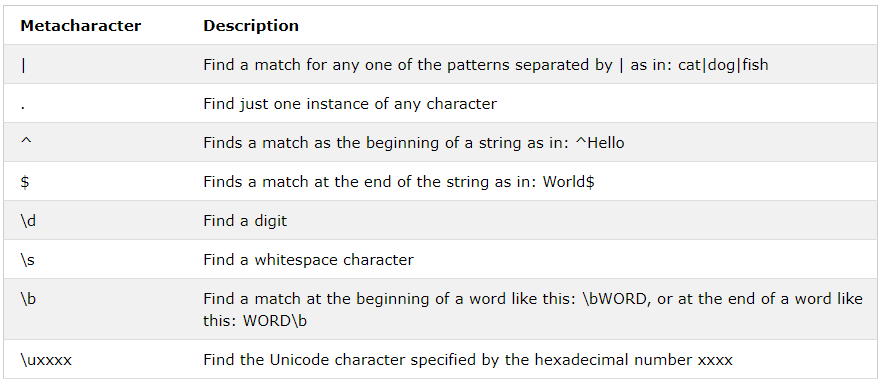
B) Metacharacter: Metacharacters are characters with a special meaning.
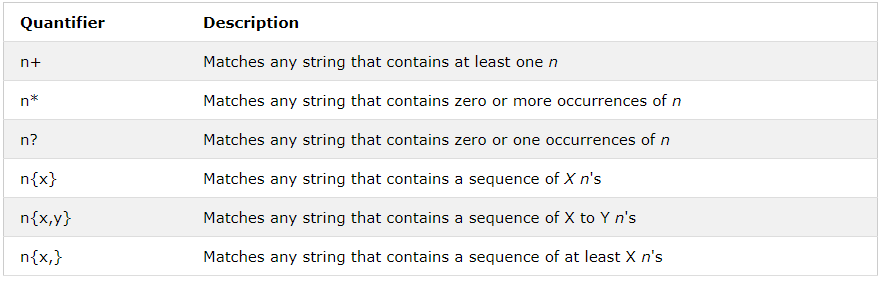
C) Quantifiers: Define quantities.
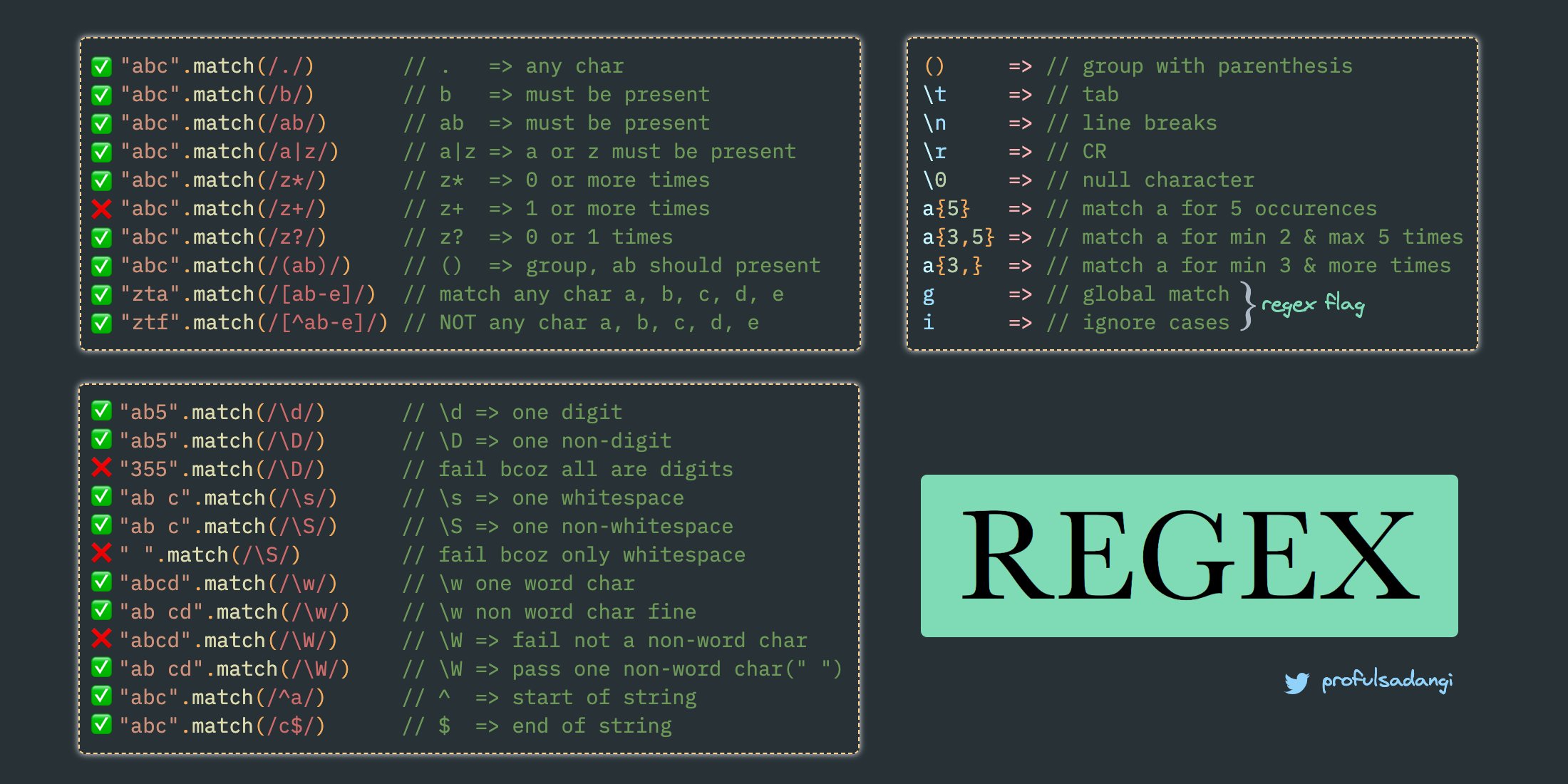
Some examples
"123".search(/^[a-zA-Z]+$/) // false=> Capital and small letters required
"AaBbCc".search(/^[a-zA-Z]+$/) // true

"123".search(/./) // true => Any character
"123".search(/^[0-9]{10}/) // false=> Numbers with a count of 3`

"1234567890".search(/^[0-9]{10}/) // true => Numbers with a count of 10

"01-01-2020".search(/^(0?[1-9]|[12][0-9]|3[01])[\/\-](0?[1-9]|1[012])[\/\-]\d{4}$/) // true => Date format: dd-mm-yyyy or dd/mm/yyyy

"Password1!".search(/^(?=.*[a-z])(?=.*[A-Z])(?=.*[0-9])(?=.*[!_`,/@#\-"=:;~<>'\$%\^&\*\?\|\+\(\)\[\]\{}\.])(?=.{8,})/) //true => Password of 8 characters including numbers, letters and symbols
Note: Using .search() produces a 0 or -1 result. 0 represents true while -1 represents false.
What’s Next
Now that you've gotten a taste of regular expressions, you can try them on your own, delving into more complicated patterns.
Resources
If you like this article, feel free to comment and share. You can also reach out to me on Twitter | LinkedIn | Github
Ciao👋🏼
About the author
I am a software developer and project manager; passionate about solving problems through IT.
Comments
Join the discussionNo comments yet. Be the first to comment.