Exploring The Movie DB in Node.js

TMDB is a free movie database. Although you can't actually watch movies from it, it provides a lot of data for its movies (rating, creator, actors, release date, etc). The best part is that their API is available to the public for integration.
In this article, we'll be exploring TMDB in Node.js.
Before we being any coding, let's take a look at the TMDB API Documentation. There are dozens of categories available to us- movies, companies, TV series, reviews, etc. Is there anything they don't have? Take a moment and explore the documentation to have a good idea of what you can build with it.
Pre-requisite
1) TMDB account. Register for an API key as you would need it.
2) Postman
Now that that's set-up. Let's get to it.
Install the required dependencies
Let's install express, dotenv, axios and nodemon
//.env
MOVIE_DB_API_KEY=
app.js
const express = require('express');
const dotenv = require('dotenv');
const axios = require('axios');

dotenv.config();

const app = express();

const server = app.listen(4000, () => {
  console.log(`Server listening on port ${server.address().port}`);
});

app.get('/', (_, res)=>{
    res.send('hi')
})
In package.json, update your start script, add "dev": "nodemon app.js"
Run npm run dev to start the app.
Head over to postman and make a request to http://localhost:4000/. If you get Hi as your response, you're good.
Exploring Popular Movies
This API is used to get a list of the current popular movies on TMDb. This list updates daily.
Add the below to app.js
/**
 * Fetch popular movies from TMDB
 *  @returns {Array} movies
 */
const fetchMovies = async (page) => {
    try {
      let result;
      await axios
        .get(
          `https://api.themoviedb.org/3/movie/popular?api_key=${process.env.MOVIE_DB_API_KEY}&page=${page}`
        )
        .then((response) => {
          result = response.data.results;
        })
        .catch((error) => {
          console.log(error);
        });
      return result;
    } catch (error) {
      console.error(error);
    }
  };

app.get('/movies', async (req, res, next)=>{
    try {
        const {page} = req.query;
        const data = await fetchMovies(page);

        return res.status(200).json({
          status:200,
          message: `${data.length} movies found`,
          data
        })
      } catch (err) {
        return next(err);
      }
})
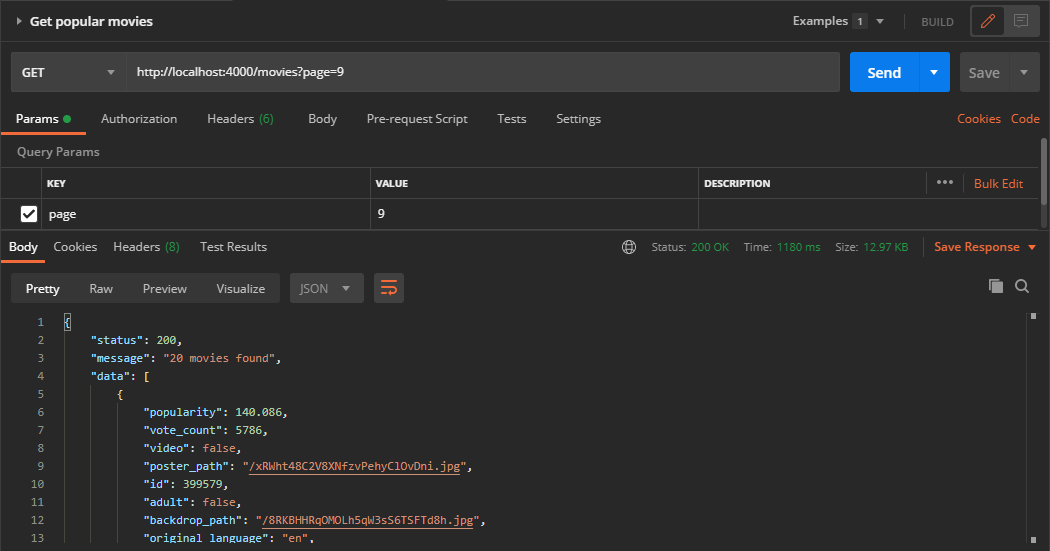
We created fetchMovies(page) to interface with TMDB endpoint and get the movies. The endpoint returns a list of things, some of which we don't need, therefore, we specified only what we want to return to the user result = response.data.results;. Then we call the method in our /movies route.
The page query parameter is optional but the result will default to page 1 if removed. Each page returns 20 movies and there are 1,000 pages.
Let's try it in Postman.
Exploring Genres
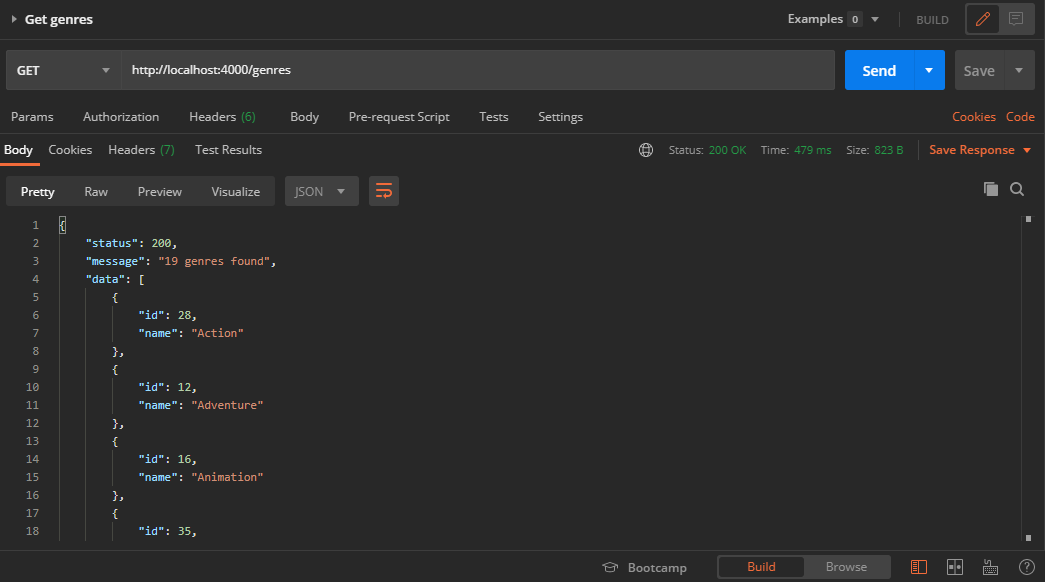
This endpoint gets the list of official genres for movies.
//app.js
/**
 * Fetch genres from the moviedb.org
 *  @returns {Array} list of genres
 */
const fetchGenres = async (page) => {
    try {
      let result;
      await axios
        .get(
          `https://api.themoviedb.org/3/genre/movie/list?api_key=${process.env.MOVIE_DB_API_KEY}`
        )
        .then((response) => {
          result = response.data.genres;
        })
        .catch((error) => {
          console.log(error);
        });
      return result;
    } catch (error) {
      console.error(error);
    }
  };
// Get Genres
app.get('/genres', async (req, res, next)=>{
    try {
        const data = await fetchGenres();

        return res.status(200).json({
          status:200,
          message: `${data.length} genres found`,
          data
        })
      } catch (err) {
        return next(err);
      }
})
Let's try it in Postman.
What's next?
Not that you have an introduction to TMDB, go ahead and integrate to more endpoints, create your own application that requires TMDB.
Resources
If you like this article, feel free to comment and share. You can also reach out to me on Twitter | LinkedIn | Github
Ciao👋🏼
About the author
I am a software developer and project manager; passionate about solving problems through IT.
Comments
Join the discussionNo comments yet. Be the first to comment.